
NDA note:
Client and product details are withheld. This case study focuses on process and methodology. Visuals and outcomes are simplified or recreated in a neutral style.
01
OVERVIEW
Print is a medium with centuries of design intent.
A well-established K-12 publisher had developed a rich print curriculum with carefully considered layouts, typographic hierarchy, and pedagogical sequencing. The brief: bring it to life as a digital experience without losing what made the print work.
I led UX and interaction design for the digital version, working across both the teacher-facing authoring and presentation tools and the student-facing interactive learning experience. The challenge was knowing what to translate faithfully, what to reimagine, and what the medium made possible that print never could.
02
THE CHALLENGE
Four constraints, all at once
Most digital curriculum projects treat one constraint as primary. This one had four, all pulling in different directions simultaneously.
Print fidelity vs. Digital UX
Educators expected the digital to mirror print layouts. But print conventions — fixed columns, page breaks, marginal notes — break down on screens and become obstacles, not aids.
Content did not translate
Some print activities relied on physical manipulation. Making these genuinely interactive digitally — not just clickable — required rethinking the activity itself.
Accessibility across both media
Print had accessibility assumptions baked in that digital could not inherit. Screen readers, keyboard navigation, and color contrast required rethinking every element.
Stakeholder disagreement on scope
Editorial, engineering, and pedagogy teams had conflicting definitions of done. Managing those expectations while keeping design quality high was as much the job as the pixels.
“We want it to feel exactly like the book, but also feel native to the screen. And we need it to work for a student with low vision on a tablet. Three things that are each hard. Together, they require real choices.”
- Design brief, paraphrased
03
RESEARCH
You cannot translate what you do not understand.
Before any interaction design work began, I ran a structured audit of the print materials alongside contextual research with both teacher and student users.
01
Print curriculum audit
Catalogued every activity type across units — sorting by what relied on spatial reasoning, physical manipulation, or sequential reading.
02
Teacher interviews
Sessions exploring how teachers used print materials in class — how they annotated, which activities they skipped, where students struggled.
03
Student usability sessions
Observed students across grade levels completing both print and early-prototype digital activities. Compared completion rates and engagement.
04
Accessibility audit of print
Mapped print accessibility assumptions to digital equivalents — identifying where print was accidentally accessible and where it was not.
05
Technical constraint mapping
Worked with engineering to document what interaction types were achievable in the platform's framework before designing interactions.
04
design decisions
Three principles that governed every translation choice
“Translate intent, not format”
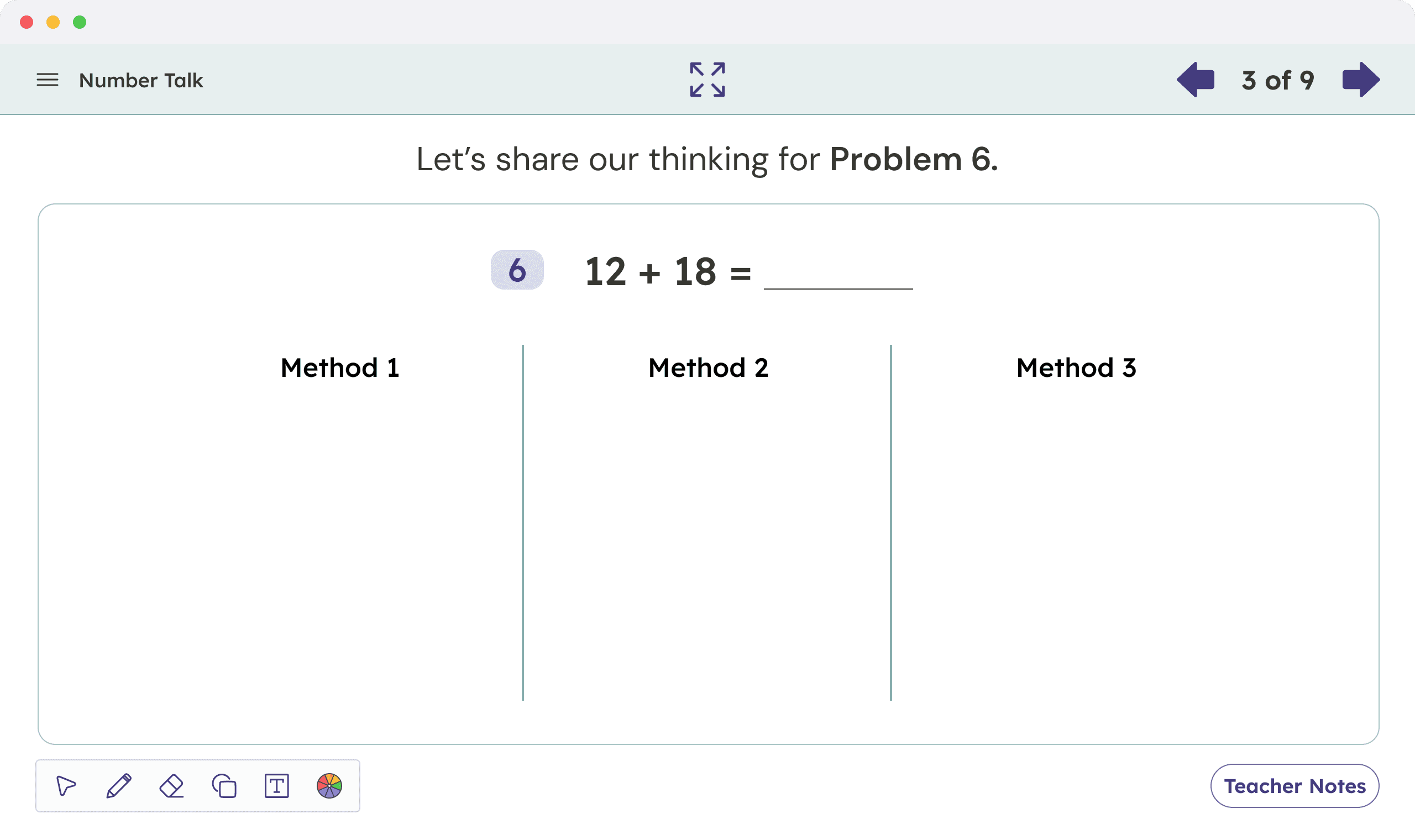
Print layouts carry intent — emphasis, pacing, grouping. Where a two-column layout signals compare these, we preserved the comparison intent in digital, not the two-column grid.
"Digital affordances earn their place”
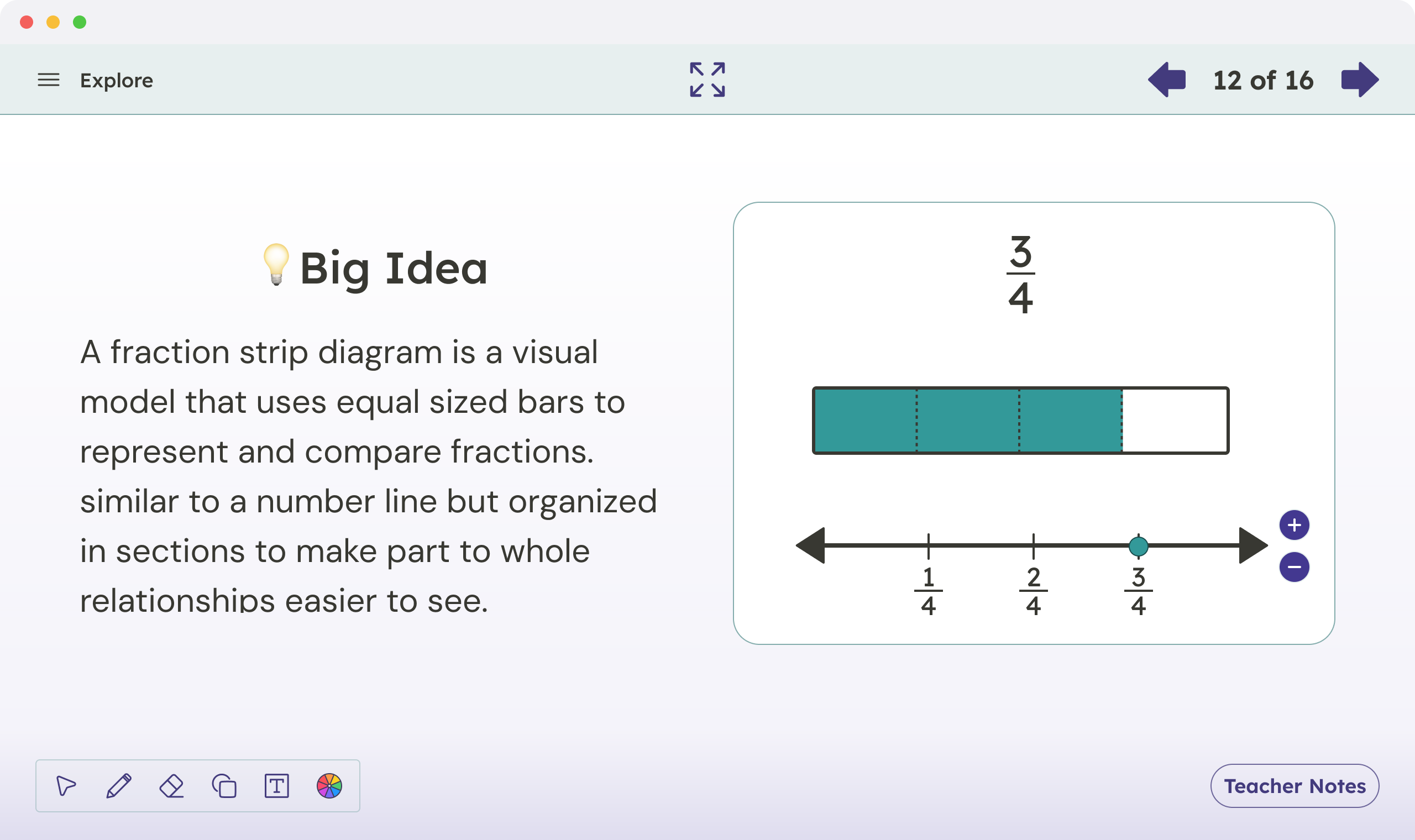
Not every activity became interactive just because it could. We added drag-and-drop, embedded video, and annotation only where it genuinely improved on the print experience.
"Constraint is the brief”
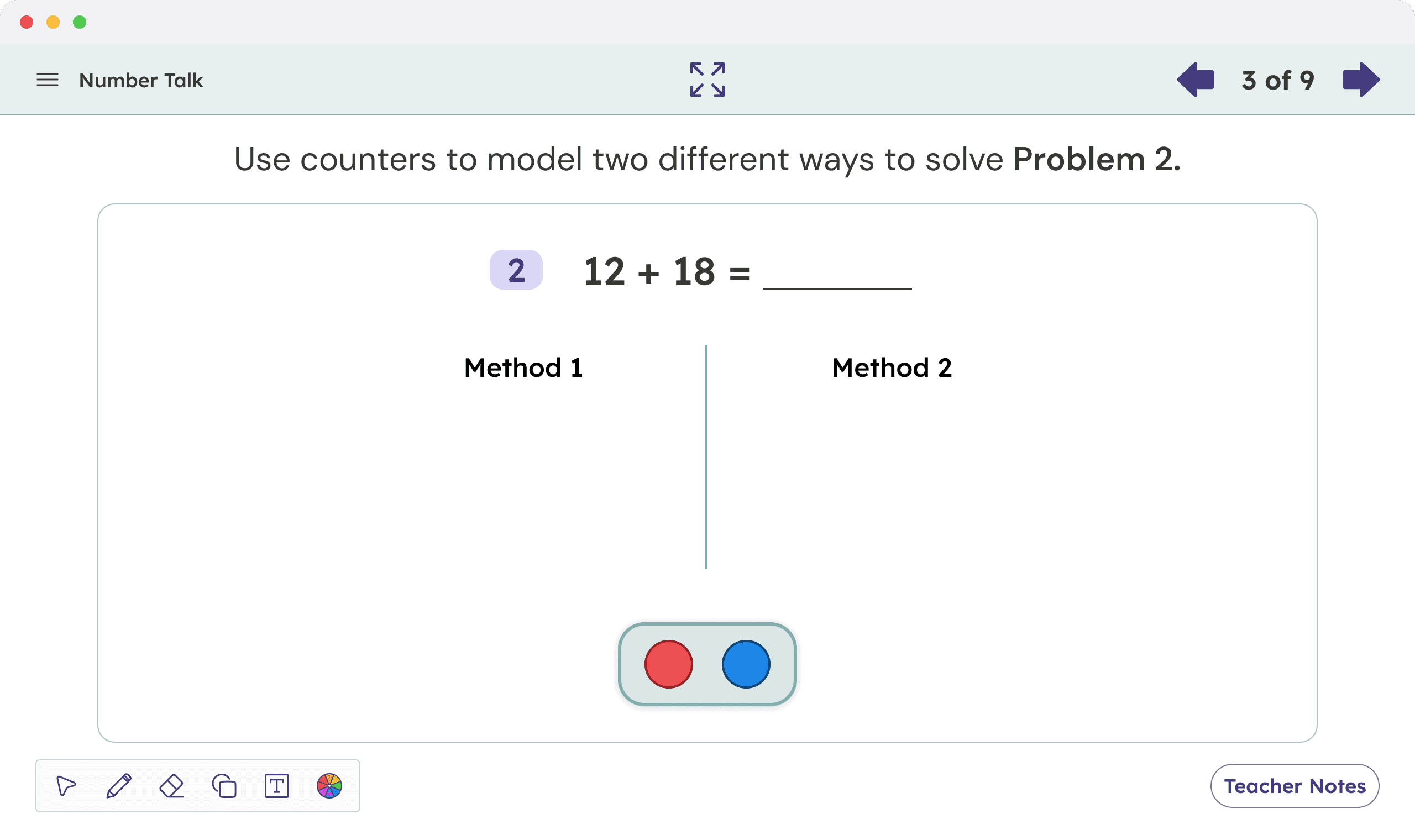
Every technical or scope constraint was treated as a design input, not a blocker. When the platform could not support full drag-and-drop, we designed a tap-to-select version that preserved the cognitive demand.
Interactive types designed and delivered
01 drag and drop
Sorting, ranking, and matching activities. Fallback: tap-to-select for low-dexterity users.
02 embedded video
Discussion prompt videos with pause points and teacher controls for live classroom use.
03 annotation tools
Digital highlighting and margin notes for students; teacher overlay view for formative assessment.
05
accessibility
Accessibility as a design input, not a checklist
Because the platform served students with a wide range of learning needs, accessibility was a constraint present from the first wireframe. I worked with an accessibility specialist to establish interaction patterns before visual design began.
All text, interactive elements, and media met or exceeded AA contrast and keyboard navigation standards.
Every drag interaction had a keyboard accessible and tap-accessible equivalent, designed in parallel not retrofitted.
Activity instructions and feedback states were written for both sighted and non-sighted users simultaneously.
Print used color as a secondary cue only. We carried that principle into digital, never relying on color alone.
06
stakeholder alignment
Three teams, three definitions of done
Editorial wanted pixel-fidelity to print. Engineering wanted a small, repeatable component library. Pedagogy wanted activities that deepened learning. None of these were wrong. All of them were in tension.
The annotation tool needs to work exactly like a pencil. We cannot build a free-draw tool. Then what does the student do with the margin? That was a real conversation and a real design problem.
- stakeholder workshop, paraphrased
I facilitated constraint workshops where each team mapped their non-negotiables and their flexibles. The output was a shared decision framework we used to make scope calls transparently for the rest of the project.
07
outcomes
What shipped, and what it measured
Metrics are approximated. Figures reflect post launch data collected several months after rollout.
01 drag and drop
Sorting, ranking, and matching activities. Fallback: tap-to-select for low-dexterity users.
02 embedded video
Discussion prompt videos with pause points and teacher controls for live classroom use.
03 annotation tools
Digital highlighting and margin notes for students; teacher overlay view for formative assessment.
“For the first time, the digital actually feels like it belongs alongside the book and not like it is apologizing for it.”
- educator feedback
08
reflection
What I carried forward
Medium-specificity is a skill
The hardest design decisions were not about pixels. They were about understanding what each medium does well and being honest about the difference. Good translation accounts for both.
Constraint mapping before wireframing
Running the technical and pedagogical constraint audit before opening Figma saved weeks. Designing into known walls is faster than hitting them mid prototype.
Stakeholder workshops as design artifacts
The constraint matrix we built together became a living document that outlasted the project. Making alignment visible and structured changed how the teams worked with each other.
What I would do differently
Earlier student testing on prototype interactives, before activity types were locked. We made good decisions, but some on educator intuition when student data would have been faster.