
Years of product growth led to inconsistent interaction patterns across the platform. Similar actions behaved differently from product to product, creating friction for users and duplicated effort for teams.
role
team
disciplines
Systems, Accessibility, Interaction Design
NDA protected - portfolio version
NDA note
Product names, branding, and interface details have been anonymized. Visual examples are representative recreations, while the process, challenges, interaction framework, and design decisions accurately reflect the work.
01
The problem
Every product taught users different rules.
As products evolved independently, interaction states became fragmented. Users could not rely on visual cues to understand what was interactive, and teams repeatedly solved the same problems in different ways.
02
process
The challenge wasn't visual consistency, it was behavioral consistency. Products needed the freedom to express their own brands while giving users a predictable interaction experience across the ecosystem.
01
Audit
Analyzed existing interactions across products to identify inconsistencies.
02
Align
Defined a shared set of states and behaviors that work everywhere.
03
Standardize
Built components and guidelines to ensure consistent behavior.
04
Validate
Tested across products for accessibility, usability, and technical feasibility.
05
Scale
Enabled adoption with templates, tokens, and ongoing governance.
03
the solution
One interaction model. Any palette.
We defined universal interaction states by consolidating familiar patterns into a shared system grounded in behavior, hierarchy, and accessibility. This created a consistent foundation without requiring users to relearn interactions.
Shared States
Shared interaction states behave consistently across products and content types.
Flexible Expression
Visual identity adapts while interaction behavior remains consistent.
Scalable Foundation
New products inherit the system without redefining interaction behavior.
Same behavior. Different expression.
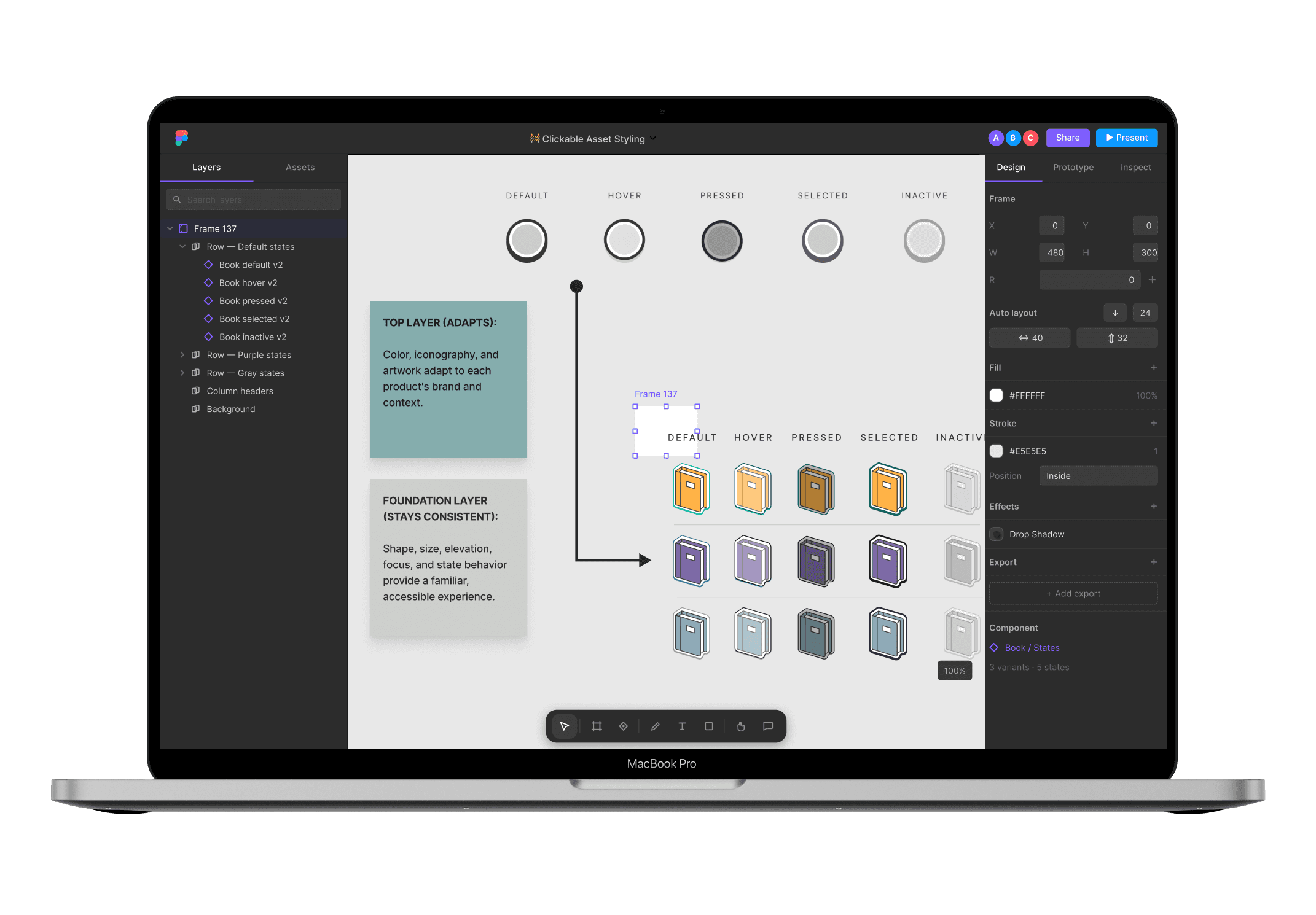
TOP LAYER (ADAPTS):
Color, iconography, and artwork adapt to each product's brand and context.
FOUNDATION LAYER (STAYS CONSISTENT):
Shape, size, elevation, focus, and state behavior provide a familiar, accessible experience.
04
in practice
A flexible system that respects identity.
Products maintain their own identity while interaction patterns remain familiar.
Bright Palette
default
hover
pressed
selected
inactive
Balanced Palette
default
hover
pressed
selected
inactive
Muted Palette
default
hover
pressed
selected
inactive
The palette changes. The interaction language does not.
05
Outcome
Consistency without compromise.
By separating interaction behavior from visual expression, we created a system that scales across products while preserving the unique identities users already recognized and trusted.
Clarity
Users could more easily recognize clickable content across products.
Consistency
Shared interaction states created predictable experiences regardless of palette or artwork.
Scalability
New products could adopt the system without redefining interaction behavior.